Supplier Panel Introduction
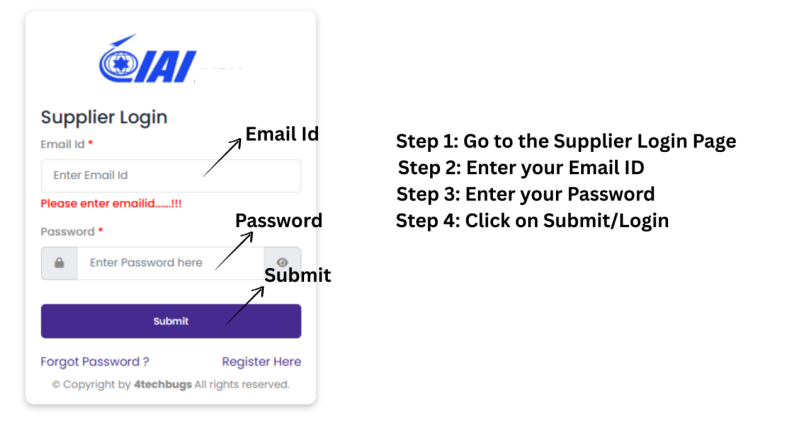
Click on Supplier Login.
Access the Supplier Portal using the provided URL and click on Supplier Login to proceed. The portal allows suppliers to register, manage their profiles, and submit required business information.
Login / Registration
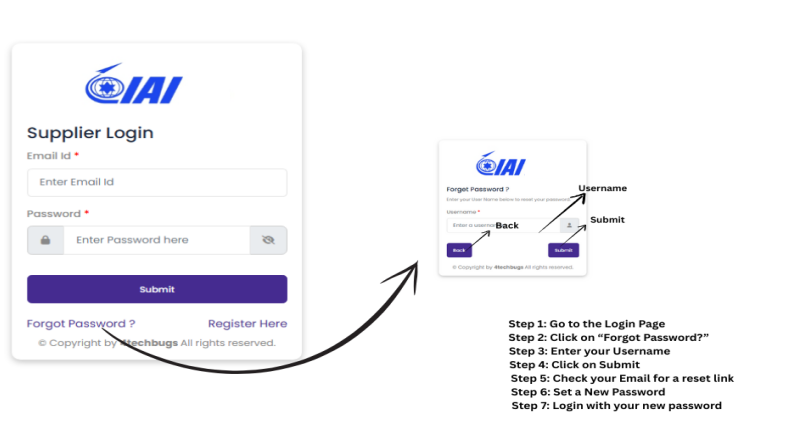
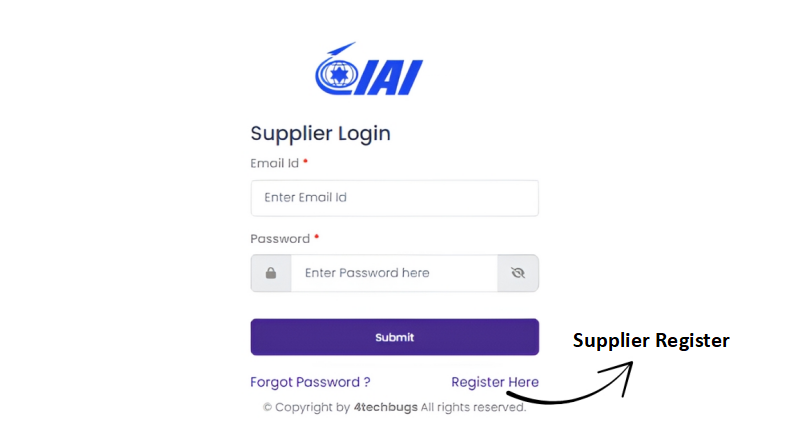
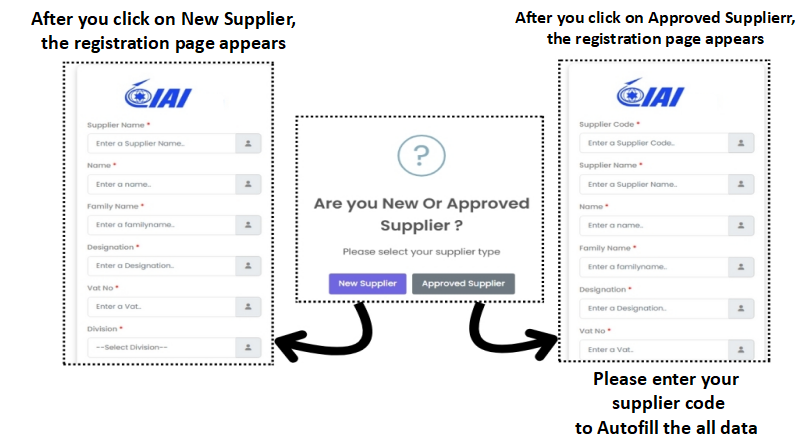
Log in with your existing credentials, or register as a New or Approved Supplier. Approved suppliers must enter their Supplier Code, while new suppliers can register without one.
Supplier Registration Form
Fill in the required company and contact details accurately to create your supplier account. Your login credentials will be sent to your registered email after submission.
Email Verification (OTP)
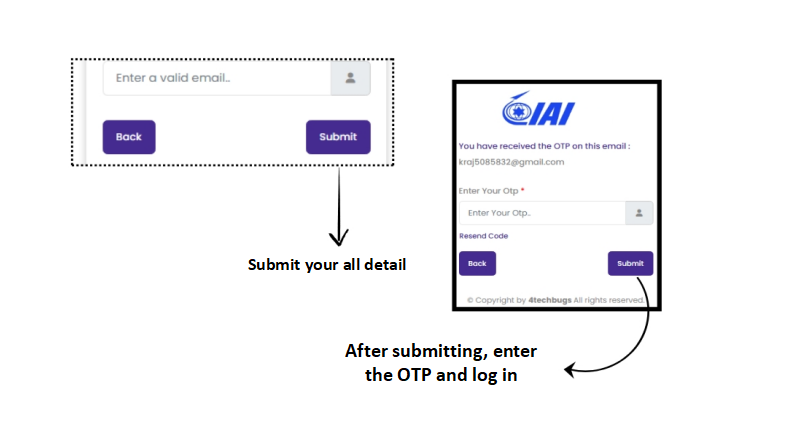
Enter the OTP sent to your email to verify your account. After successful verification, your request is forwarded to the administrator for approval.
Account Approval & Login
Once approved, you will receive your login credentials via email. Use them to sign in and continue completing your supplier profile.

Company Information
Provide complete company details including address, contact information, ownership, and supporting documents. Click Save to securely store your information.

Prime Technology Selection
Open the technology selection box and use the toggle buttons to choose technologies relevant to your organization. This helps identify your core capabilities.

Technology Details
Select applicable options within each technology category and mark them as relevant. Remember to save each section after entering the details.

Certification & Quality
Indicate available certifications by enabling the toggle and upload supporting documents. Add new certification titles if needed, then save to submit your data.